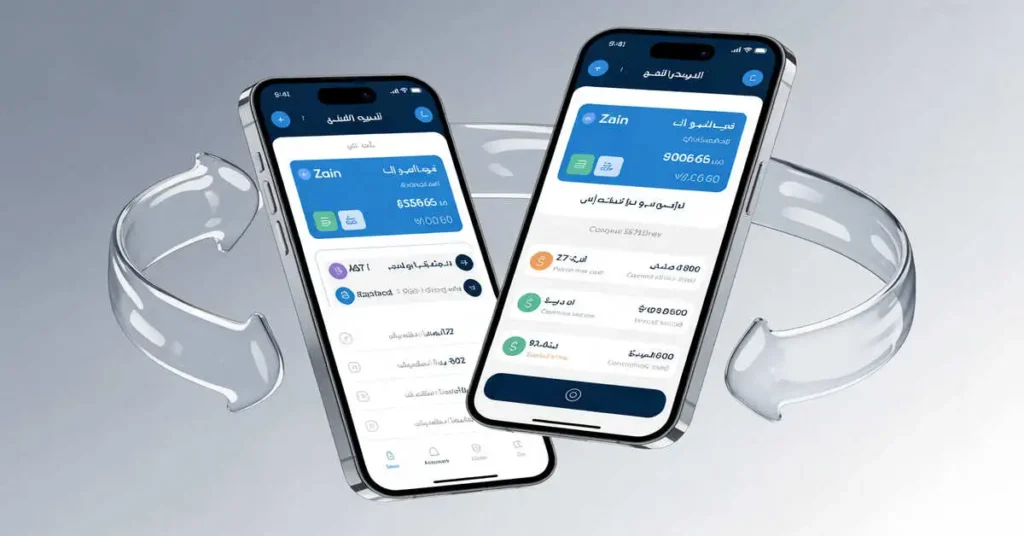
Transferring mobile credit between Zain users has become an essential service for millions of subscribers across multiple countries. Whether you need to share credit with family members who ran out of balance or help friends stay connected, Zain offers multiple convenient methods for balance transfers. This comprehensive guide covers every aspect of Zain to Zain balance transfer across Saudi Arabia, Kuwait, Bahrain, Jordan, and international destinations.
Here is complete information about: Zain Number Check Code: The Complete Guide to Finding Your Zain SIM Number in Saudi Arabia (2025)
Understanding Zain Balance Transfer Service
Zain operates as one of the leading telecommunications providers in the Middle East, serving over 41 million active customers across seven countries including Saudi Arabia, Kuwait, Bahrain, Jordan, Iraq, Sudan, and South Sudan. The balance transfer service enables prepaid customers to share their credit with other Zain users both locally and internationally.
The transfer process requires participation from both the sender and receiver to complete the transaction successfully. Each region maintains specific codes, limits, and fees that users must understand before initiating transfers.
Zain to Zain Balance Transfer in Saudi Arabia
Saudi Arabia represents Zain’s largest market, and the company has streamlined the balance transfer process to make it accessible for all prepaid customers.
Step-by-Step Transfer Process Saudi Arabia
The sender must initiate the balance transfer by composing a new text message. Open your messaging application and create a blank SMS. Type the transfer code in the following format: BT followed by a space, then the recipient’s mobile number including the area code, another space, and finally the amount in Saudi Riyals you wish to transfer.
For example, to transfer 20 SAR to the number 0591234567, you would type: BT 0591234567 20. Send this message to 702702. Within moments, Zain processes your request and sends a notification to the recipient.
The recipient receives an SMS from Zain informing them that someone has transferred credit to their number. To complete the transaction and receive the balance, the recipient must confirm their identity by responding with their Iqama number.
Receiver Confirmation Steps Saudi Arabia
The recipient opens a new text message and types ID followed by a space and their complete Iqama number. For instance, if the Iqama number is 2263321555, the message would read: ID 2263321555. Send this confirmation message to 702702.
Both parties receive confirmation messages from Zain once the transfer completes successfully. The transferred amount appears immediately in the recipient’s account balance.
Saudi Arabia Transfer Terms and Conditions
Zain Saudi Arabia enforces specific rules to ensure fair usage of the balance transfer service. The minimum transferable amount stands at 5 SAR per transaction, providing flexibility for small credit shares. The maximum single transfer limit reaches 50 SAR, preventing excessive transfers that could indicate unauthorized account use.
Daily transfer limits cap at 250 SAR, promoting responsible service utilization. Senders can only transfer up to 50% of their total available balance in one transaction. After completing any transfer, the sender’s remaining balance must stay above 25 SAR to maintain account functionality.
The service deducts a small fee of 0.50 Halala from the sender’s balance for each transfer transaction. This nominal charge covers the administrative costs of processing the transfer.
Restrictions and Limitations Saudi Arabia
Zain does not allow transfers of bonus credit received through promotional offers or package subscriptions. Only the main account balance qualifies for transfer between users. Receiving transferred credit does not affect the validity period of the recipient’s prepaid number, meaning their existing expiration date remains unchanged.
Internet data packages cannot be transferred between Zain numbers. The service exclusively handles credit transfers, not data allowances. Cross-network transfers remain unavailable, meaning Zain users cannot send credit to Mobily or STC subscribers, as no inter-operator agreement exists for such transactions.
Zain to Zain Balance Transfer in Kuwait
Kuwait offers one of the most sophisticated balance transfer systems within the Zain network, featuring both local and extensive international transfer capabilities.
Local Transfer Methods Kuwait
Kuwait customers have multiple options for transferring balance locally. The primary SMS method requires sending a message to 99998. Compose a new text and type the letter T followed by a space, the recipient’s mobile number, another space, and the transfer amount in Kuwaiti Dinars.
For example, to transfer 2 KD to a friend, type: T 66778899 2 and send to 99998. The system processes the request immediately and notifies both parties of the successful transfer.
Alternatively, Kuwait users can dial the USSD code for interactive menu access. This method provides a more guided experience with on-screen prompts.
Kuwait Balance Transfer via Zain App
The Zain Kuwait mobile application offers the most user-friendly transfer experience. Download the app from Google Play Store or Apple App Store. After installation, launch the application and select your preferred language during the initial setup.
Log in using your Zain Kuwait credentials – your mobile number serves as the username. Navigate to the main menu and select “My Packages” from the available options. Within this section, locate and tap “Transfer Credit” or “Transfer Balance.”
Enter the recipient’s complete mobile number in the designated field. Input the amount you wish to transfer, ensuring it meets the minimum requirements. The app displays a summary of the transfer including any applicable fees. Review the details carefully and tap “Transfer Now” to execute the transaction.
Both sender and receiver receive instant notifications through the app confirming the successful balance transfer.
Kuwait Transfer Registration and Activation
Before using the balance transfer service for the first time, Kuwait customers must register. Send the word Register to 99998 via SMS. Zain responds with a secret PIN code that you must save securely.
This PIN code serves as authentication for future transfers, adding an extra security layer to protect your account from unauthorized credit transfers. Keep this code confidential and never share it with anyone.
To cancel your balance transfer service subscription, send the word Cancel to 99998. This deactivates the service and invalidates your PIN code.
Kuwait Local Transfer Conditions
Kuwait enforces specific conditions for local transfers. Only increments of 100 Fils are allowed, meaning you cannot transfer partial Fils amounts. To utilize the balance transfer service, prepaid customers must maintain a line validity of at least 90 days.
After completing any transfer, prepaid customers must retain a minimum balance of 0.001 Kuwaiti Dinars in their account. The transferred balance and associated validity period are deducted from the sender’s account and added to the receiver’s account.
Postpaid customers face restrictions if their outstanding bill exceeds 50 Kuwaiti Dinars – they cannot transfer balance until settling their account to below this threshold.
Kuwait International Balance Transfer
Kuwait stands out by offering extensive international credit transfer capabilities to numerous countries worldwide. To transfer credit internationally, send an SMS to 94009 or 94001. Alternatively, dial *909# for an interactive menu system.
Compose a message using the format: TR followed by a space and the complete international number including country code. Send this to 94009. The system responds with available credit options for that specific country.
Reply with the number corresponding to your desired transfer amount to confirm the transaction. Zain processes the request and sends confirmation to both sender and receiver once completed.
International Transfer Limitations Kuwait
Kuwait’s international transfer service operates exclusively for prepaid customers – postpaid subscribers cannot use this feature. The maximum monthly international transfer limit stands at 30 KD, preventing excessive international transfers.
Users can complete up to 20 international balance transfers per month. Unlike local transfers, international credit transfers do not affect validity periods. The transferred credit appears in the recipient’s account according to their local operator’s terms.
Supported International Destinations
Zain Kuwait enables international transfers to over 20 countries. Major destinations include Pakistan, India, Philippines, Bangladesh, Nepal, Sri Lanka, Indonesia, Egypt, Yemen, Jordan, Syria, Lebanon, Palestine, Sudan, Somalia, and several others across Asia, Africa, and the Middle East.
The specific transfer amounts and equivalent values vary by destination country. Always verify the exchange rate and fees before confirming international transfers.
Zain to Zain Balance Transfer in Bahrain
Bahrain customers enjoy straightforward balance transfer options through USSD codes and the dedicated MySTC BH application.
Bahrain Transfer Methods
To transfer balance in Bahrain, dial *121*amount*receiver’s number# from your Zain mobile. Replace “amount” with the number of Bahraini Dinars you wish to transfer and “receiver’s number” with the complete mobile number of the recipient.
Alternatively, send an SMS to 81121 containing T followed by a space, the transfer amount, and the recipient’s number. The format would be: T 5 39123456 to transfer 5 BD to the number 39123456.
Bahrain Transfer Limits
The maximum transfer amount per transaction in Bahrain is 400 BD, significantly higher than other regions. Users can complete up to 400 transfer transactions daily, offering exceptional flexibility for business users or those managing multiple accounts.
Zain to Zain Balance Transfer in Jordan
Jordan maintains its own set of codes and procedures for balance transfers within the Zain network.
Jordan Transfer Process
Jordan customers use specific codes for money transfers between prepaid accounts. Dial *101*IVRPassword*079XXXXXXX*Fils# to complete a transfer. Replace “IVRPassword” with your account password, “079XXXXXXX” with the recipient’s number, and “Fils” with the transfer amount.
This method requires prior setup of an IVR password through customer service or the Zain Jordan website.
International Balance Transfer from Saudi Arabia
Zain Saudi Arabia extends balance transfer capabilities beyond its borders, allowing customers to send credit to family and friends in numerous countries worldwide.
Countries Eligible for International Transfers
Saudi Arabia users can transfer credit to recipients in Pakistan, India, Philippines, Bangladesh, Nepal, Sri Lanka, Egypt, Indonesia, Yemen, Syria, Palestine, Lebanon, Jordan, and several other nations across Asia, Africa, and the Middle East.
How to Transfer Internationally from Saudi Arabia
To send credit internationally from Saudi Arabia, dial *133*country code and number*reference code#. Each destination country has specific reference codes corresponding to different transfer amounts.
For example, to transfer credit equivalent to 110 Pakistani Rupees, dial *133*00923XXXXXXXXX*1# where the complete Pakistani mobile number follows the country code and “*1” represents the reference code for 110 PKR.
After dialing the code, the system sends a confirmation request via SMS. Reply with 1 to approve and complete the transaction. Wait a few moments for the system to process your request. You receive a final confirmation message once the transfer succeeds.
International Transfer Limits Saudi Arabia
The minimum international transfer amount is 2 SAR, making it accessible for sending small amounts of credit. Maximum single transaction limit reaches 50 SAR. Daily international transfer limit caps at 150 SAR, and monthly limit stands at 450 SAR.
Zain charges no additional fees for international balance transfers from Saudi Arabia beyond the standard transfer service fee. The recipient receives credit according to the prevailing exchange rates and their local operator’s terms.
Reference Codes by Country
Each country maintains specific reference codes corresponding to different credit amounts. For Pakistan, Code 1 transfers approximately 110 PKR, Code 2 transfers 250 PKR, and Code 3 transfers 300 PKR. Similar structured coding applies to other destination countries.
Always verify the current reference codes and equivalent amounts before initiating international transfers, as rates may change periodically.
Checking Zain Balance Before Transfers
Before transferring credit, verify your available balance to ensure sufficient funds for the transaction plus any applicable fees.
Balance Check Methods Saudi Arabia
Dial *142# to check your main account balance in Saudi Arabia. The system displays your current credit and validity period instantly. For internet data balance, dial *405# to see remaining megabytes or gigabytes.
Alternatively, send an SMS containing BC to 959 or 700212. Zain responds immediately with your complete balance information including main credit, data allowance, and active packages.
Balance Check Methods Kuwait
Kuwait customers dial *142# for quick balance inquiry. The system shows available credit and line validity. You can also send BC to 959 via SMS for detailed balance information delivered to your message inbox.
The Zain Kuwait app provides comprehensive balance details including credit, data, SMS allowances, and active subscriptions all in one convenient location.
Balance Check Methods Other Regions
Bahrain customers use region-specific codes available through the MySTC BH app or website. Jordan users dial *116# to check their main balance and *116*1# for embedded minutes, *116*2# for internet and SMS balance.
Each region maintains unique balance inquiry codes, so always use the correct code for your specific location.
Using Zain Mobile Apps for Transfers
Mobile applications provide the most convenient and feature-rich experience for managing balance transfers across all Zain regions.
MySTC Saudi Arabia App
Download the MySTC app from your device’s app store. During registration, provide your Zain mobile number and create a secure password. The app sends a verification code via SMS to confirm your identity.
After logging in, the home dashboard displays your current balance prominently. Navigate to the transfer section through the main menu. Enter the recipient’s details and transfer amount, review the summary, and confirm with a tap.
The app maintains a complete history of all your transfers, making it easy to track past transactions and manage recurring transfers to frequent recipients.
Zain Kuwait App Features
The Kuwait app offers advanced features beyond basic transfers. Users can set up recurring transfers to automatically send credit to designated numbers on specific dates. The favorites feature allows saving frequently used recipient numbers for one-tap transfers.
Transaction history provides detailed records including dates, amounts, recipient numbers, and confirmation codes for each transfer. This becomes invaluable for record-keeping and expense tracking.
App Security Features
All Zain apps implement robust security measures to protect your account. Two-factor authentication adds an extra verification step for sensitive transactions. Biometric login options like fingerprint or face recognition provide quick yet secure access.
The apps allow setting transfer limits as an additional safeguard against unauthorized use. If someone gains access to your phone, these limits prevent excessive transfers from your account.
Troubleshooting Transfer Issues
Users occasionally encounter problems when attempting balance transfers. Understanding common issues helps resolve them quickly.
Transfer Rejected or Failed
If your transfer gets rejected, first verify the recipient’s number is correct and active. Ensure you have sufficient balance to cover both the transfer amount and the service fee. Check that you meet the minimum and maximum transfer limits for your region.
Confirm the recipient has registered their SIM card properly under their official ID. Unregistered SIM cards cannot receive transferred credit in most regions due to regulatory requirements.
Recipient Not Receiving Credit
If the recipient doesn’t receive credit after you receive confirmation, wait a few minutes as network delays occasionally occur. Ask the recipient to check their balance using the appropriate code for their region.
If the credit still doesn’t appear after 30 minutes, contact Zain customer service with your transaction confirmation code. They can investigate the issue and manually credit the recipient’s account if necessary.
PIN Code Issues Kuwait
Kuwait users who forget their balance transfer PIN code cannot complete transfers. To recover or reset your PIN, send Register again to 99998. The system generates a new PIN code and sends it via SMS.
Store this PIN securely in a password manager or written in a safe location. Never share your PIN with anyone, as it allows them to transfer credit from your account.
Daily Limit Exceeded
If you’ve reached your daily transfer limit, you must wait until the next day to resume transfers. Daily limits reset at midnight local time. Plan your transfers accordingly, especially if you regularly send credit to multiple recipients.
Consider spreading larger transfers across multiple days if you anticipate exceeding daily limits.
Fees and Charges Breakdown
Understanding the complete cost structure helps you budget for balance transfers and avoid surprises.
Saudi Arabia Transfer Costs
Each transfer in Saudi Arabia incurs a fee of 0.50 Halala deducted from the sender’s account. This applies regardless of the transfer amount, whether sending 5 SAR or 50 SAR.
International transfers from Saudi Arabia do not charge additional fees beyond the standard transfer fee. The recipient receives the equivalent value according to exchange rates.
Kuwait Transfer Costs
Kuwait’s fee structure varies based on transfer type and amount. Local transfers generally incur minimal fees as percentages of the transfer amount. International transfers may have different fee schedules depending on the destination country.
Always review the fee summary displayed before confirming transfers to understand the total cost.
Hidden Costs to Consider
Beyond direct transfer fees, consider the exchange rate margins applied to international transfers. The conversion rate used may differ slightly from market rates, representing an implicit cost.
Minimum balance requirements mean you cannot transfer your entire account balance, effectively locking some credit in your account.
Best Practices for Balance Transfers
Following recommended practices ensures smooth transfers and protects your account security.
Verify Recipient Details Carefully
Always double-check the recipient’s mobile number before confirming transfers. A single digit error sends your credit to the wrong person, and reversing such transactions proves extremely difficult or impossible.
For international transfers, verify both the country code and complete phone number. International number formats vary, and incorrect formatting causes transfer failures.
Keep Transfer Records
Maintain records of all transfers including dates, amounts, recipient numbers, and confirmation codes. Take screenshots of confirmation messages or save them in a dedicated folder.
These records help track your spending, prove transactions occurred if disputes arise, and assist customer service in investigating any issues.
Monitor Your Balance Regularly
Check your balance before and after each transfer to confirm the correct amount was deducted. Regular monitoring helps detect any unauthorized transfers quickly, allowing you to secure your account promptly.
Set up balance alerts through your Zain app to receive notifications when your balance drops below specified thresholds.
Secure Your Account
Enable all available security features in your Zain app including biometric authentication and transfer limits. Never share your PIN code, password, or verification codes with anyone claiming to be from Zain support.
Zain representatives never ask for your complete password or PIN codes. If someone requests such information, it represents a scam attempt.
Comparing Regional Differences
Zain’s balance transfer service varies significantly across different countries, reflecting local regulatory requirements and market conditions.
Transfer Limits Comparison
Saudi Arabia caps single transfers at 50 SAR with daily limits of 250 SAR. Kuwait allows more flexibility with higher limits for prepaid customers. Bahrain stands out with the highest single transaction limit of 400 BD.
These differences reflect varying usage patterns and regulatory frameworks in each country. Business users in Bahrain benefit from the higher limits when managing employee accounts or contractor payments.
Code Variations by Region
Saudi Arabia uses 702702 as the primary transfer number, while Kuwait uses 99998 for local transfers and 94009 for international transfers. Bahrain employs 81121, and Jordan has its own specific codes.
Always use the correct regional code – attempting transfers with codes from different regions results in failure.
International Transfer Capabilities
Kuwait offers the most extensive international transfer network, supporting over 20 destination countries. Saudi Arabia follows with substantial international coverage. Other regions focus primarily on local transfers with limited international options.
If international transfers form a significant part of your needs, Kuwait-based Zain accounts provide the most flexibility.
Customer Support for Transfer Issues
When self-service methods fail to resolve transfer problems, Zain’s customer support teams provide assistance.
Contacting Customer Service Saudi Arabia
Dial 959 from your Zain mobile for automated support. Follow voice prompts to reach the appropriate department. For personalized assistance, select the option to speak with a representative.
Customer service operates 24/7, though wait times may increase during peak hours. Prepare your mobile number, transfer details, and confirmation codes before calling to expedite assistance.
Kuwait Customer Support Channels
Kuwait customers access support through multiple channels. The Zain Kuwait app features a built-in chat function connecting you directly with support agents. This text-based support proves convenient for detailed explanations and documentation sharing.
Alternatively, call the customer service number listed in your app or visit Zain retail locations for in-person assistance with complex issues.
Online Support Resources
All Zain regional websites maintain comprehensive FAQ sections addressing common transfer questions. Video tutorials demonstrate the complete transfer process step-by-step for visual learners.
Community forums allow users to share experiences and solutions, though always verify information through official channels before acting on forum advice.
Future Developments and Enhancements
Zain continues evolving its balance transfer services to improve user experience and expand capabilities.
Upcoming Features
Industry trends suggest future enhancements may include instant transfers with zero processing delays, expanded international coverage to additional countries, integration with digital wallets and payment platforms, and automated recurring transfers with flexible scheduling.
Zain periodically announces new features through official channels and in-app notifications. Stay updated by enabling notifications in your Zain mobile app.
Regulatory Considerations
Balance transfer services must comply with local telecommunications regulations, anti-money laundering laws, and consumer protection requirements. Regulatory changes may affect transfer limits, identification requirements, or available features.
Zain adapts its services to maintain compliance while maximizing user convenience within legal frameworks.
Conclusion
Zain to Zain balance transfer provides an essential service for millions of users across multiple countries. The process remains straightforward through SMS codes, mobile apps, or USSD menus, though specific codes and limits vary by region.
Saudi Arabia users send transfers to 702702 with the format BT recipient amount, while Kuwait customers use 99998 for local transfers and 94009 for international transfers. Each region enforces unique limits, fees, and conditions designed to balance user convenience with fraud prevention.
International transfer capabilities extend the service’s value, enabling users to support family and friends across borders without purchasing physical recharge cards. Kuwait offers the most extensive international network, while Saudi Arabia provides competitive options to major destination countries.
Success with balance transfers requires understanding regional requirements, verifying recipient details carefully, maintaining adequate balance for transfers and fees, and following proper confirmation procedures. Regular balance monitoring and secure account practices protect against unauthorized transfers.
Whether supporting family members, helping friends in emergencies, or managing multiple lines, Zain’s balance transfer service provides reliable, convenient credit sharing across its extensive network. Use official apps for the best experience, maintain proper records of all transactions, and contact customer support promptly if issues arise.
Useful Links:
Makkah Bus Route: Your Complete Guide to Navigating the Holy City
Riyadh Postal Code: Your Complete Guide to الرمز البريدي الرياض
Saudi Arabia Postal Code: Complete Guide to ZIP Codes in All Cities (2025)
How to Check STC Balance in Saudi Arabia: Quick & Easy Methods
How to Check How Many SIMs Are Registered on My Iqama (2025 Guide)
Border Number Check: How to Find Your Iqama Number in Saudi Arabia (2025)
How to Check MOL KSA Iqama Huroob Status: Complete 2025 Guide
CCHI Insurance Check: Complete Guide to Verify Your Health Insurance in Saudi Arabia (2025)
How to Check Your Mobily SIM Number in Saudi Arabia: A Complete Guide
How to Check Your Iqama Color Status in Saudi Arabia: A Complete Guide

Hi, I’m Haseeb Ahmed, the founder of KhaleejBlog.com — a premier travel platform dedicated to providing practical and up-to-date travel tips across Dubai, Saudi Arabia, Oman, and Qatar. My mission is to help travelers explore the Gulf region with ease, discover hidden gems, and make the most of every journey.